
Case Study: HMRC
Modernising the HMRC Forms Estate – A Strategic Accessibility Audit & Transformation
Project: HMRC Accessibility & Compliance Strategy Focus: WCAG 2.1 (AA) Compliance, Legacy Transformation, and Service Design
Methodology: GDS Service Manual & Inclusive Design Principles
This initiative addressed a critical need to evaluate and remediate the accessibility of the HMRC forms estate. By moving beyond simple “compliance ticking,” we established a strategic framework to migrate legacy formats (PDFs) to HTML-first services (gForms), mitigate legal risk under the Equality Act 2010, and embed inclusive design practices into the core delivery lifecycle.
The Challenge
The HMRC digital estate contained a significant backlog of legacy forms and user journeys. Many were reliant on “Print & Post” flat PDFs or non-responsive designs, creating substantial barriers for users with assistive technologies. The scale of the estate presented high risks regarding:
- Legal Compliance: Meeting Public Sector Bodies Accessibility Regulations.
- Service Efficiency: High failure demand driven by unusable forms.
- User Exclusion: Preventing vulnerable citizens from accessing essential government services.
Strategic Objectives
We defined three core pillars for this engagement:
- Estate-Wide Evaluation: Audit the user journeys against WCAG 2.1 (Level AA) to identify non-compliant services.
- Risk & Value Assessment: Quantify the business impact, cost-to-fix, and risk associated with non-compliant forms.
- Transformation Pipeline: Move beyond remediation by identifying candidates for:
- Conversion to gForms (HTML-first).
- Migration to distinct, end-to-end services.
- Immediate triage for “Print & Post” PDF dependency.
The Approach
We utilised the Government Design Principles to ensure our process was rigorous, user-centred, and scalable.
1. Discovery: Scope & Inclusive Research
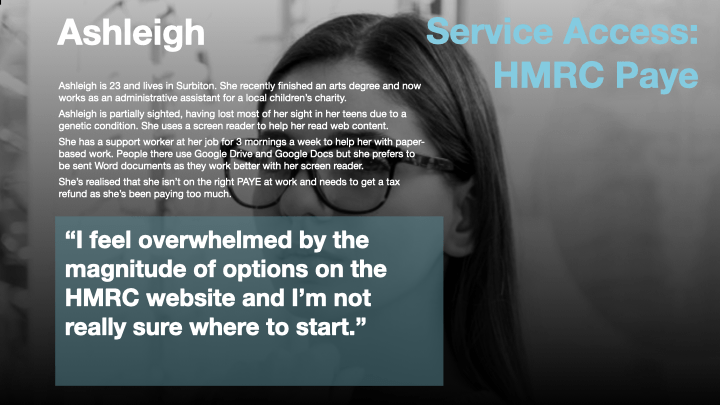
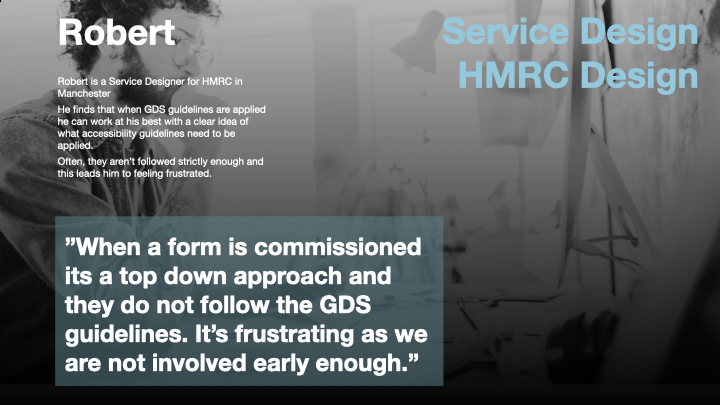
We began by mapping key user journeys and high-traffic pages. Crucially, we moved beyond standard personas to create Accessibility Personas based on diverse needs (e.g., screen reader users, neurodiverse users, motor impairment).
- Action: Conducted contextual inquiry and interviews with users with disabilities to understand barriers in the current “Print & Post” landscape.
- Outcome: Established a baseline of user needs that informed our audit criteria.
2. The Hybrid Audit Methodology
To ensure thoroughness at scale, we employed a two-tier auditing process:
- Automated Testing: High-volume scanning to catch syntax errors and basic WCAG failures.
- Manual Expert Review: Heuristic evaluation by accessibility specialists to assess navigational flow, cognitive load, and complex interactions that automated tools miss.
3. Triage & Backlog Management
We did not treat all forms equally. We created a Prioritisation Matrix based on:
- User Volume: High-traffic forms took precedence.
- Severity of Barrier: “Blocker” issues prevented access entirely.
- Strategic Fit: Identifying “Change Candidates”—forms that should not be fixed, but rather retired and replaced with gForms.
4. Validation: User Testing with Assistive Tech
Remediation is theoretical until tested. We conducted usability testing sessions specifically with users employing assistive technology (JAWS, NVDA, Dragon NaturallySpeaking, ZoomText).
- Focus: We observed users navigating the “fixed” journeys to validate that code changes translated to a genuine improvement in experience.
Outcomes & Value Delivered
For the Business
- Risk Mitigation: Delivered a comprehensive risk register detailing non-compliant assets and their legal implications.
- Strategic Roadmap: Created a prioritized backlog for migrating flat PDFs to interactive gForms, reducing manual processing costs for HMRC.
- Cost Efficiency: Identified “quick wins” versus “re-platforming” candidates to ensure budget was spent on high-impact changes.
For the Users
- Removed Barriers: Resolved critical blockers in navigation, text readability, and keyboard accessibility.
- Inclusive Experience: Ensured that essential services are accessible to citizens regardless of ability, fulfilling the promise of “Government for everyone.”
For the Culture (Capability Building)
Sustainability was a key goal. We did not just “fix and leave.”
- Training: Delivered workshops to developers and content creators on WCAG 2.1 best practices.
- Continuous Monitoring: Implemented automated monitoring pipelines to catch regression early.
- Feedback Loops: Established channels for continuous user feedback on accessibility, fostering a culture of iteration.
Conclusion
This project successfully shifted the narrative from “accessibility as a legal constraint” to “accessibility as a driver for better service design.” By identifying candidates for gForms and removing barriers in legacy PDFs, we have laid the groundwork for a fully inclusive, digital-first HMRC estate.
 Factotum